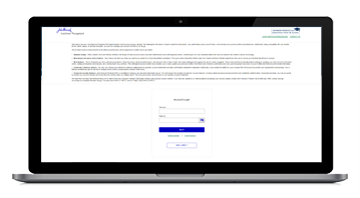
Please enter the email address you used when registering.
Email sent
If you have a valid account with us, you will receive an email with instructions to reset your password.
Email resent
An error occurred while processing your request. Please try again later.
An error occurred while processing your request. Please try again later.
Invalid login
Your account has been temporarily locked because of too many failed login attempts. Please try again later.
The code entered has expired. Please request a new code to continue.
The code entered is not valid. Please request a new code to continue.
Email address format is not valid.
Your account has not been verified. Please check your email for instructions on how to verify your credentials.
Your account has been disabled.
An error occurred while processing your request. Please try again later.
Invalid login
This account has reached its limit for daily password resets. Please try again in 24 hours.
Password does not meet password strength requirements. Please try again.
That password was recently used. Please enter a new one.
Password is not strong enough.
Password cannot contain any forbidden words.
Password is a commonly used password.
Password cannot contain common words.
Password cannot contain repeating characters.
Password cannot contain sequence of characters.
An error occurred while processing your request. Please try again later.
An error occurred while processing your request. Please try again later.
The account information you provided does not match our records.
This account is not authorized to perform the request you've initiated.
An error occurred while processing your request. Please try again later.
An error occurred while processing your request. Please try again later.
An error occurred while processing your request. Please try again later.
An error occurred while processing your request. Please try again later.
An error occurred while processing your request. Please try again later.
An error occurred while processing your request. Please try again later.
We are unable to log you out of all the application
Invalid code, please enter the correct code from your Authenticator App or code may have timed out, in that case re-scan the QR code by clicking "Back".
Password does not meet password strength requirements. Please try again.
Password does not meet password strength requirements. Please try again.
An error occurred while processing your request. Please try again later.
An error occurred while processing your request.
Please try again later.
Choose Method
We’re committed to protecting the confidentially of personal information and use security measures and other safeguards designed to keep your personal information safe. Please choose a contact method below to receive a confirmation code:
Two-step verification
Please enter the 6-digit code sent to your email. If you have not received a code, you may not have a registered account.
Generate QR code
If you are new and ready to setup the Authenticator App for easier sign in experience next time. If you haven’t already, downloaded the Authenticator App on iOS or Android by scanning a QR code then click on "Set up Authenticator App". Do not close this browser window.
Link account to app
Now, open the Authenticator App and then on your app add account by scanning QR code or manually entering the code below to link your account. QR code expires after 15 minutes.
Enter code from Authenticator App
Do not close browser window. A security code is available in your Authenticator App, as you should have a new account in your App. If you don't have a code to enter, please click "Back" and set up the Authenticator App to get a new code.
Please create a new password
Must be between 9 and 64 characters long
Must have at least one capital letter
Must have a number
Must have a special character
Cannot contain any characters that repeat more than twice
New passwords fields must match
An error occurred while processing your request.
Please try again later.
Password successfully reset.
Invalid login
Enter your password to login.
Choose Method
We’re committed to protecting the confidentially of personal information and use security measures and other safeguards designed to keep your personal information safe. Please choose a contact method below to receive a confirmation code:
Two-step verification
Enter the 6-digit code sent to your email
Generate QR code
If you are new and ready to setup the Authenticator App for easier sign in experience next time. If you haven’t already, downloaded the Authenticator App on iOS or Android by scanning a QR code then click on "Set up Authenticator App". Do not close this browser window.
Link account to app
Now, open the Authenticator App and then on your app add account by scanning QR code or manually entering the code below to link your account. QR code expires after 15 minutes.
Enter code from Authenticator App
Do not close browser window. A security code is available in your Authenticator App, as you should have a new account in your App. If you don't have a code to enter, please click "Back" and set up the Authenticator App to get a new code.
Please create a new password
Must be between 9 and 64 characters long
Must have at least one capital letter
Must have a number
Must have a special character
Cannot contain any characters that repeat more than twice
New passwords fields must match
An error occurred while processing your request.
Please try again later.
Password successfully reset.
Choose Method
We’re committed to protecting the confidentially of personal information and use security measures and other safeguards designed to keep your personal information safe. Please choose a contact method below to receive a confirmation code:
Please enter you new phone number
Your account phone number has been changed successfully
To verify your identity, we need to send an authorization code to the email address on file.
Two-step verification
Enter the 6-digit code sent to your email
Generate QR code
If you are new and ready to setup the Authenticator App for easier sign in experience next time. If you haven’t already, downloaded the Authenticator App on iOS or Android by scanning a QR code then click on "Set up Authenticator App". Do not close this browser window.
Link account to app
Now, open the Authenticator App and then on your app add account by scanning QR code or manually entering the code below to link your account. QR code expires after 15 minutes.
Enter code from Authenticator App
Do not close browser window. A security code is available in your Authenticator App, as you should have a new account in your App. If you don't have a code to enter, please click "Back" and set up the Authenticator App to get a new code.
Confirmed. Welcome back.
An error occurred while processing your request.
Please try again later.
Please enter a valid phone number.
We need a phone number to keep your account secure. We will send you a code to validate your phone number.
Forgot your password?
Please enter the email address you used when registering.
Email sent
If you have a valid account with us, you will receive an email with instructions to reset your password.
Email resent
An error occurred while processing your request. Please try again later.
An error occurred while processing your request. Please try again later.
Invalid login
Your account has been temporarily locked because of too many failed login attempts. Please try again later.
The code entered has expired. Please request a new code to continue.
The code entered is not valid. Please request a new code to continue.
Email address format is not valid.
Your account has not been verified. Please check your email for instructions on how to verify your credentials.
Your account has been disabled.
An error occurred while processing your request. Please try again later.
Invalid login
This account has reached its limit for daily password resets. Please try again in 24 hours.
Password does not meet password strength requirements. Please try again.
That password was recently used. Please enter a new one.
Password is not strong enough.
Password cannot contain any forbidden words.
Password is a commonly used password.
Password cannot contain common words.
Password cannot contain repeating characters.
Password cannot contain sequence of characters.
An error occurred while processing your request. Please try again later.
An error occurred while processing your request. Please try again later.
The account information you provided does not match our records.
This account is not authorized to perform the request you've initiated.
An error occurred while processing your request. Please try again later.
An error occurred while processing your request. Please try again later.
An error occurred while processing your request. Please try again later.
An error occurred while processing your request. Please try again later.
An error occurred while processing your request. Please try again later.
An error occurred while processing your request. Please try again later.
We are unable to log you out of all the application
Invalid code, please enter the correct code from your Authenticator App or code may have timed out, in that case re-scan the QR code by clicking "Back".
Password does not meet password strength requirements. Please try again.
Password does not meet password strength requirements. Please try again.
An error occurred while processing your request. Please try again later.
An error occurred while processing your request.
Please try again later.
Choose Method
We’re committed to protecting the confidentially of personal information and use security measures and other safeguards designed to keep your personal information safe. Please choose a contact method below to receive a confirmation code:
Two-step verification
Please enter the 6-digit code sent to your email. If you have not received a code, you may not have a registered account.
Generate QR code
If you are new and ready to setup the Authenticator App for easier sign in experience next time. If you haven’t already, downloaded the Authenticator App on iOS or Android by scanning a QR code then click on "Set up Authenticator App". Do not close this browser window.
Link account to app
Now, open the Authenticator App and then on your app add account by scanning QR code or manually entering the code below to link your account. QR code expires after 15 minutes.
Enter code from Authenticator App
Do not close browser window. A security code is available in your Authenticator App, as you should have a new account in your App. If you don't have a code to enter, please click "Back" and set up the Authenticator App to get a new code.
Please create a new password
Must be between 9 and 64 characters long
Must have at least one capital letter
Must have a number
Must have a special character
Cannot contain any characters that repeat more than twice
New passwords fields must match
An error occurred while processing your request.
Please try again later.
Password successfully reset.
Invalid login
Enter your password to login.
Choose Method
We’re committed to protecting the confidentially of personal information and use security measures and other safeguards designed to keep your personal information safe. Please choose a contact method below to receive a confirmation code:
Two-step verification
Enter the 6-digit code sent to your email
Generate QR code
If you are new and ready to setup the Authenticator App for easier sign in experience next time. If you haven’t already, downloaded the Authenticator App on iOS or Android by scanning a QR code then click on "Set up Authenticator App". Do not close this browser window.
Link account to app
Now, open the Authenticator App and then on your app add account by scanning QR code or manually entering the code below to link your account. QR code expires after 15 minutes.
Enter code from Authenticator App
Do not close browser window. A security code is available in your Authenticator App, as you should have a new account in your App. If you don't have a code to enter, please click "Back" and set up the Authenticator App to get a new code.
Please create a new password
Must be between 9 and 64 characters long
Must have at least one capital letter
Must have a number
Must have a special character
Cannot contain any characters that repeat more than twice
New passwords fields must match
An error occurred while processing your request.
Please try again later.
Password successfully reset.
Choose Method
We’re committed to protecting the confidentially of personal information and use security measures and other safeguards designed to keep your personal information safe. Please choose a contact method below to receive a confirmation code:
Please enter you new phone number
Your account phone number has been changed successfully
Enter your email address
Confirm your email address
We have sent an email to {0}. Click the link in the email to finish setting up your dashboard
Email resent
An error occurred while processing your request. Please try again later.
An error occurred while processing your request. Please try again later.
Invalid login
Your account has been temporarily locked because of too many failed login attempts. Please try again later.
The code entered has expired. Please request a new code to continue.
The code entered is not valid. Please request a new code to continue.
Email address format is not valid.
Your account has not been verified. Please check your email for instructions on how to verify your credentials.
Your account has been disabled.
An error occurred while processing your request. Please try again later.
Invalid login
This account has reached its limit for daily password resets. Please try again in 24 hours.
Password does not meet password strength requirements. Please try again.
That password was recently used. Please enter a new one.
Password is not strong enough.
Password cannot contain any forbidden words.
Password is a commonly used password.
Password cannot contain common words.
Password cannot contain repeating characters.
Password cannot contain sequence of characters.
An error occurred while processing your request. Please try again later.
An error occurred while processing your request. Please try again later.
The account information you provided does not match our records.
This account is not authorized to perform the request you've initiated.
An error occurred while processing your request. Please try again later.
An error occurred while processing your request. Please try again later.
An error occurred while processing your request. Please try again later.
An error occurred while processing your request. Please try again later.
An error occurred while processing your request. Please try again later.
An error occurred while processing your request. Please try again later.
We are unable to log you out of all the application
Invalid code, please enter the correct code from your Authenticator App or code may have timed out, in that case re-scan the QR code by clicking "Back".
Password does not meet password strength requirements. Please try again.
Password does not meet password strength requirements. Please try again.
An error occurred while processing your request. Please try again later.
Forgot your password?
Please enter the email address you used when registering.
Email sent
If you have a valid account with us, you will receive an email with instructions to reset your password.
Email resent
An error occurred while processing your request. Please try again later.
An error occurred while processing your request. Please try again later.
Invalid login
Your account has been temporarily locked because of too many failed login attempts. Please try again later.
The code entered has expired. Please request a new code to continue.
The code entered is not valid. Please request a new code to continue.
Email address format is not valid.
Your account has not been verified. Please check your email for instructions on how to verify your credentials.
Your account has been disabled.
An error occurred while processing your request. Please try again later.
Invalid login
This account has reached its limit for daily password resets. Please try again in 24 hours.
Password does not meet password strength requirements. Please try again.
That password was recently used. Please enter a new one.
Password is not strong enough.
Password cannot contain any forbidden words.
Password is a commonly used password.
Password cannot contain common words.
Password cannot contain repeating characters.
Password cannot contain sequence of characters.
An error occurred while processing your request. Please try again later.
An error occurred while processing your request. Please try again later.
The account information you provided does not match our records.
This account is not authorized to perform the request you've initiated.
An error occurred while processing your request. Please try again later.
An error occurred while processing your request. Please try again later.
An error occurred while processing your request. Please try again later.
An error occurred while processing your request. Please try again later.
An error occurred while processing your request. Please try again later.
An error occurred while processing your request. Please try again later.
We are unable to log you out of all the application
Invalid code, please enter the correct code from your Authenticator App or code may have timed out, in that case re-scan the QR code by clicking "Back".
Password does not meet password strength requirements. Please try again.
Password does not meet password strength requirements. Please try again.
An error occurred while processing your request. Please try again later.
An error occurred while processing your request.
Please try again later.
Choose Method
We’re committed to protecting the confidentially of personal information and use security measures and other safeguards designed to keep your personal information safe. Please choose a contact method below to receive a confirmation code:
Two-step verification
Please enter the 6-digit code sent to your email. If you have not received a code, you may not have a registered account.
Generate QR code
If you are new and ready to setup the Authenticator App for easier sign in experience next time. If you haven’t already, downloaded the Authenticator App on iOS or Android by scanning a QR code then click on "Set up Authenticator App". Do not close this browser window.
Link account to app
Now, open the Authenticator App and then on your app add account by scanning QR code or manually entering the code below to link your account. QR code expires after 15 minutes.
Enter code from Authenticator App
Do not close browser window. A security code is available in your Authenticator App, as you should have a new account in your App. If you don't have a code to enter, please click "Back" and set up the Authenticator App to get a new code.
Please create a new password
Must be between 9 and 64 characters long
Must have at least one capital letter
Must have a number
Must have a special character
Cannot contain any characters that repeat more than twice
New passwords fields must match
An error occurred while processing your request.
Please try again later.
Password successfully reset.
Invalid login
Enter your password to login.
Choose Method
We’re committed to protecting the confidentially of personal information and use security measures and other safeguards designed to keep your personal information safe. Please choose a contact method below to receive a confirmation code:
Two-step verification
Enter the 6-digit code sent to your email
Generate QR code
If you are new and ready to setup the Authenticator App for easier sign in experience next time. If you haven’t already, downloaded the Authenticator App on iOS or Android by scanning a QR code then click on "Set up Authenticator App". Do not close this browser window.
Link account to app
Now, open the Authenticator App and then on your app add account by scanning QR code or manually entering the code below to link your account. QR code expires after 15 minutes.
Enter code from Authenticator App
Do not close browser window. A security code is available in your Authenticator App, as you should have a new account in your App. If you don't have a code to enter, please click "Back" and set up the Authenticator App to get a new code.
Please create a new password
Must be between 9 and 64 characters long
Must have at least one capital letter
Must have a number
Must have a special character
Cannot contain any characters that repeat more than twice
New passwords fields must match
An error occurred while processing your request.
Please try again later.
Password successfully reset.
Choose Method
We’re committed to protecting the confidentially of personal information and use security measures and other safeguards designed to keep your personal information safe. Please choose a contact method below to receive a confirmation code:
Please enter you new phone number
Your account phone number has been changed successfully
Video insights. Market trends. Product updates.
Our video gallery is one example of the value that we offer as a great partner of financial professionals. We deliver insights that matter, helping you make smarter decisions and pursue better outcomes for your clients.
Get timely insight on the markets and portfolio positioning from managers of John Hancock funds.
Alternatives
Gain insight from specialists in alternative investments, from private markets to alternative credit and beyond.
Asset allocation
Get the latest thinking from asset allocation specialists including Manulife Investment Management's Multi-Asset Solutions Team, the multimanager and strategic asset allocator behind the John Hancock target-date funds.
Equities
Portfolio managers across our multimanager network who specialize in either U.S. or international equities discuss their latest market views and investment positioning.
ETFs
Portfolio managers and investment professionals across our multimanager network discuss the asset classes and investment approaches reflected in our strategic beta equity exchange-traded funds (ETFs) and actively managed ETFs.
Fixed income
Fixed-income portfolio managers and specialists explore bond market trends and fund positioning.
529s
529 college savings plans are powerful options for families to help build up savings for their children’s college costs and to cover other educational needs. These videos provide insight on 529 plans and education savings.
All videos
Explore our library of videos from all categories—quarterly fund updates, alternatives, asset allocation, equities, ETFs, fixed income, and 529s.
Important disclosures
The views and opinions expressed in these videos are those of the speaker(s), are subject to change as market and other conditions warrant, and do not constitute investment advice or a recommendation regarding any specific product or security. There is no guarantee that any investment strategy discussed will be successful or achieve any particular level of results. Any economic or market performance information is historical and is not indicative of future results, and no forecasts are guaranteed. Investing involves risks, including the potential loss of principal.
Explore our investments page
At Manulife John Hancock Investments, we build investment options based on investor needs, then we search the world to find time-tested portfolio teams with specialized expertise in those strategies.