


September 28, 2026
Focusing on income: navigating market cycles with multi-asset credit strategies

Leaning on income as a buffer against volatility is a key goal for multi-asset credit strategies. Find out how they work.

Please enter the email address you used when registering.
If you have a valid account with us, you will receive an email with instructions to reset your password.
Please try again later.
We’re committed to protecting the confidentially of personal information and use security measures and other safeguards designed to keep your personal information safe. Please choose a contact method below to receive a confirmation code:
Please enter the 6-digit code sent to your email. If you have not received a code, you may not have a registered account.
If you are new and ready to setup the Authenticator App for easier sign in experience next time. If you haven’t already, downloaded the Authenticator App on iOS or Android by scanning a QR code then click on "Set up Authenticator App". Do not close this browser window.
Now, open the Authenticator App and then on your app add account by scanning QR code or manually entering the code below to link your account. QR code expires after 15 minutes.
Do not close browser window. A security code is available in your Authenticator App, as you should have a new account in your App. If you don't have a code to enter, please click "Back" and set up the Authenticator App to get a new code.
Please try again later.
Enter your password to login.
We’re committed to protecting the confidentially of personal information and use security measures and other safeguards designed to keep your personal information safe. Please choose a contact method below to receive a confirmation code:
Enter the 6-digit code sent to your email
If you are new and ready to setup the Authenticator App for easier sign in experience next time. If you haven’t already, downloaded the Authenticator App on iOS or Android by scanning a QR code then click on "Set up Authenticator App". Do not close this browser window.
Now, open the Authenticator App and then on your app add account by scanning QR code or manually entering the code below to link your account. QR code expires after 15 minutes.
Do not close browser window. A security code is available in your Authenticator App, as you should have a new account in your App. If you don't have a code to enter, please click "Back" and set up the Authenticator App to get a new code.
Please try again later.
We’re committed to protecting the confidentially of personal information and use security measures and other safeguards designed to keep your personal information safe. Please choose a contact method below to receive a confirmation code:
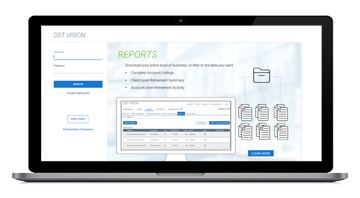
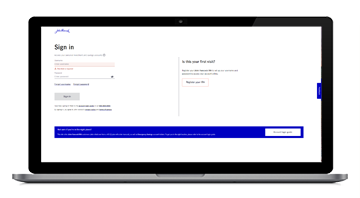
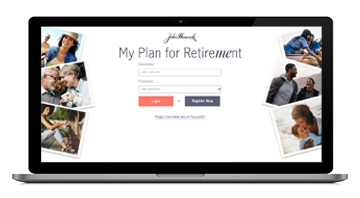
Enter your password to login.
To verify your identity, we need to send an authorization code to the email address on file.
Enter the 6-digit code sent to your email
If you are new and ready to setup the Authenticator App for easier sign in experience next time. If you haven’t already, downloaded the Authenticator App on iOS or Android by scanning a QR code then click on "Set up Authenticator App". Do not close this browser window.
Now, open the Authenticator App and then on your app add account by scanning QR code or manually entering the code below to link your account. QR code expires after 15 minutes.
Do not close browser window. A security code is available in your Authenticator App, as you should have a new account in your App. If you don't have a code to enter, please click "Back" and set up the Authenticator App to get a new code.
Please try again later.
We need a phone number to keep your account secure. We will send you a code to validate your phone number.
Please enter the email address you used when registering.
If you have a valid account with us, you will receive an email with instructions to reset your password.
Please try again later.
We’re committed to protecting the confidentially of personal information and use security measures and other safeguards designed to keep your personal information safe. Please choose a contact method below to receive a confirmation code:
Please enter the 6-digit code sent to your email. If you have not received a code, you may not have a registered account.
If you are new and ready to setup the Authenticator App for easier sign in experience next time. If you haven’t already, downloaded the Authenticator App on iOS or Android by scanning a QR code then click on "Set up Authenticator App". Do not close this browser window.
Now, open the Authenticator App and then on your app add account by scanning QR code or manually entering the code below to link your account. QR code expires after 15 minutes.
Do not close browser window. A security code is available in your Authenticator App, as you should have a new account in your App. If you don't have a code to enter, please click "Back" and set up the Authenticator App to get a new code.
Please try again later.
Enter your password to login.
We’re committed to protecting the confidentially of personal information and use security measures and other safeguards designed to keep your personal information safe. Please choose a contact method below to receive a confirmation code:
Enter the 6-digit code sent to your email
If you are new and ready to setup the Authenticator App for easier sign in experience next time. If you haven’t already, downloaded the Authenticator App on iOS or Android by scanning a QR code then click on "Set up Authenticator App". Do not close this browser window.
Now, open the Authenticator App and then on your app add account by scanning QR code or manually entering the code below to link your account. QR code expires after 15 minutes.
Do not close browser window. A security code is available in your Authenticator App, as you should have a new account in your App. If you don't have a code to enter, please click "Back" and set up the Authenticator App to get a new code.
Please try again later.
We’re committed to protecting the confidentially of personal information and use security measures and other safeguards designed to keep your personal information safe. Please choose a contact method below to receive a confirmation code:
We have sent an email to {0}. Click the link in the email to finish setting up your dashboard
Please enter the email address you used when registering.
If you have a valid account with us, you will receive an email with instructions to reset your password.
Please try again later.
We’re committed to protecting the confidentially of personal information and use security measures and other safeguards designed to keep your personal information safe. Please choose a contact method below to receive a confirmation code:
Please enter the 6-digit code sent to your email. If you have not received a code, you may not have a registered account.
If you are new and ready to setup the Authenticator App for easier sign in experience next time. If you haven’t already, downloaded the Authenticator App on iOS or Android by scanning a QR code then click on "Set up Authenticator App". Do not close this browser window.
Now, open the Authenticator App and then on your app add account by scanning QR code or manually entering the code below to link your account. QR code expires after 15 minutes.
Do not close browser window. A security code is available in your Authenticator App, as you should have a new account in your App. If you don't have a code to enter, please click "Back" and set up the Authenticator App to get a new code.
Please try again later.
Enter your password to login.
We’re committed to protecting the confidentially of personal information and use security measures and other safeguards designed to keep your personal information safe. Please choose a contact method below to receive a confirmation code:
Enter the 6-digit code sent to your email
If you are new and ready to setup the Authenticator App for easier sign in experience next time. If you haven’t already, downloaded the Authenticator App on iOS or Android by scanning a QR code then click on "Set up Authenticator App". Do not close this browser window.
Now, open the Authenticator App and then on your app add account by scanning QR code or manually entering the code below to link your account. QR code expires after 15 minutes.
Do not close browser window. A security code is available in your Authenticator App, as you should have a new account in your App. If you don't have a code to enter, please click "Back" and set up the Authenticator App to get a new code.
Please try again later.
We’re committed to protecting the confidentially of personal information and use security measures and other safeguards designed to keep your personal information safe. Please choose a contact method below to receive a confirmation code:

Stay here and stay current on trending topics that matter to DC plan advisors, sponsors, and participants, from market viewpoints and portfolio construction tips to regulatory developments and practice management.

Learn more about competing for retirement business and practical strategies for finalist presentations, RFP responses, and building relationships with plan sponsors.

Our stable value funds seek to preserve capital and provide stability of principal for retirement plan participants.
RIC Connect is Manulife John Hancock Investments’ flagship communications program featuring thought leadership tailored exclusively for DC plan advisors and the plan sponsors and participants they serve.
Longer lives are reshaping what retirement means, and as a plan sponsor, you’re right in the middle of that shift. Let’s look at the financial challenges that come with longevity and explore practical ways you can support your participants.
Many Americans are behind on extended retirement planning. See why longevity retirement planning matters for outcomes, productivity, and attracting Gen Z.
Coverage testing is one of the annual compliance tests that 401(k) and Roth plan sponsors must perform each year. Here are some FAQs to help you fulfill your responsibilities and keep your plan compliant.
Unique financial and lifestyle issues hinder women’s efforts to save for retirement. Learn what they are and ways to help close the retirement savings gap.




Explore trends shaping today’s fixed-income markets, the role fixed income plays in 401(k) plans, and how strategies like short duration and active management can help meet participant needs.

Collective investment trusts (CITs) are outpacing mutual funds as the most popular target-date vehicles. Learn why in this 401(k) Specialist Q&A with David Cohen, global head of stable value and guaranteed products and head of U.S. retirement investment product at Manulife John Hancock Investments.
September 28, 2026

July 28, 2026


June 8, 2026

Financial advisors: see how our multimanager approach to asset allocation can help bring a deeper level of diversification to your clients' portfolios.
Request a meeting with a Manulife John Hancock Investments business consultant
* indicates a required field
Thank you
Your submission was successful